

Admin app overview
A map of the admin app, grouped the way the sidebar is, with a short note on what you do in each area and a link to its guide.
The admin app at app.auditmark.io is where you run your inspection company's work: building templates, planning and tracking inspections, managing your team and clients, and setting up your organization. Use this page to find the area you need and jump to its guide.
When you sign in, the app opens on your Dashboard. The sidebar on the left groups every area into five sections, and this page follows the same order.
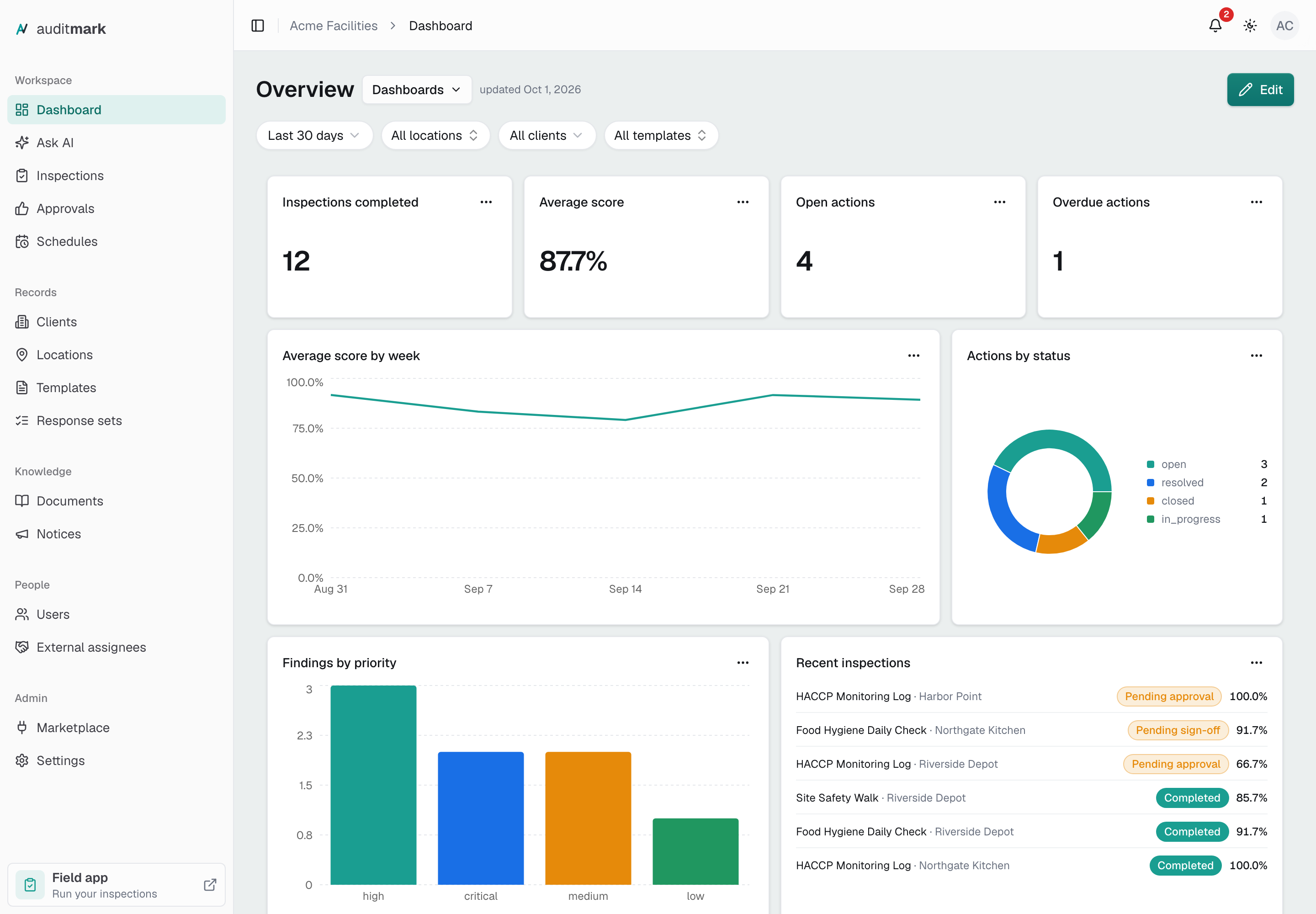
Workspace
- Dashboard shows charts, tables, and headline numbers about your inspections, and lets you build dashboards of your own.
- Ask AI answers plain-language questions about your inspection data.
- Inspections is where you create inspections, assign them, follow their progress, and open the results and the report.
- Approvals holds finished inspections waiting for a decision, so you can approve them, send them back to the inspector, or reject them.
- Schedules sets up recurring inspections, so they are created for you on a regular cadence.
Records
The clients, places, and forms your inspections run on.
- Clients keeps an account for each client you inspect for. Each location belongs to one client.
- Locations keeps the list of places where you inspect. Each one has its own page with the inspections and corrective actions done there.
- Templates is where you build the forms inspectors fill in and publish them when they are ready.
- Response sets lets you define a list of answer options once, such as Pass, Fail, and N/A, and reuse it in every template.
Knowledge
- Documents is a library of files your team needs. Inspectors can open them in the field app too.
- Notices sends a message to your team and shows you who has acknowledged it.
People
- Users is where you invite people, choose whether each one is an Admin, an Inspector, or an Approver, and manage their access.
- External assignees are people outside your organization. You give them access to the locations and corrective actions assigned to them, without adding them to your team.
Admin
- Marketplace connects Auditmark to the tools your team already uses, such as monday.com.
- Settings controls how your organization works, from its name and logo to time zone, date formats, your vertical, your plan, email, AI features, and keys for developers.
- Report design lives inside Settings, under Branding. It sets the colors, fonts, and page layout of your reports. A template can use a different look of its own.
Your account and the field app
Your own profile, notifications, appearance, and sign-in security are in the account menu: select your initials in the top bar, then pick the section you want. See Account.
If you also carry out inspections, the Field app card at the bottom of the sidebar opens the field app in a new tab.
Good to know
- Your role decides what you see. Admins get the whole sidebar. Approvers see only Approvals, and the app opens there for them. Inspectors work in the field app: if one signs in here on a computer, they see a page with a link and a QR code to open the field app on their phone.
- Some names in the sidebar follow your vertical, which you choose in Settings under Vertical. In the Food Safety & Compliance vertical, for example, Inspections reads Audits and Locations reads Branches. How Auditmark works explains this.
- Some verticals, such as Site & Energy Inspection, have no clients, so Clients does not appear in the sidebar.
- On a phone, the menu shows a shorter list. Build templates and design reports on a computer.
- If a partner introduced your organization to Auditmark, their name appears in the top bar. Select it to see their contact details in Settings.
Start here
If you are setting up a new workspace, Set up your workspace walks through every step in order. The three things most new admins do first:
- Invite your team, so your inspectors and approvers can sign in. Onboarding your inspectors covers what happens on their side.
- Build your first template, the form your inspectors will fill in.
- Create your first inspection, or set up a schedule so inspections are created for you.